PDF Gear
Edits, annotates, and signs PDF documents directly on iOS devices.
Are you the owner?
Claim this tool to publish updates, news and respond to users.
Sign in to claim ownership
Sign InDescription
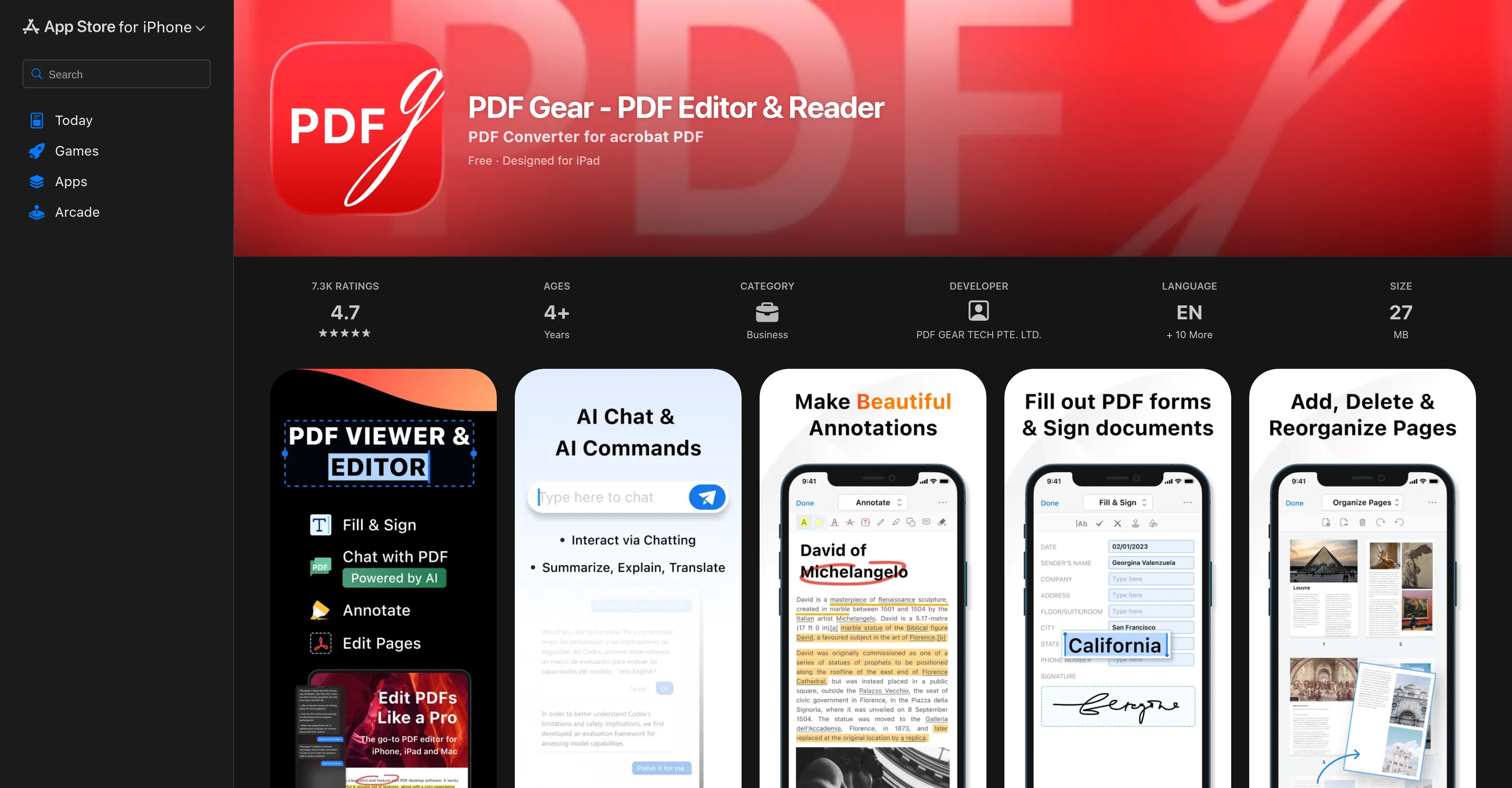
PDF Gear is a comprehensive mobile PDF editor and reader developed for iOS, designed to provide a full-featured document management solution directly on Apple devices. Its core value lies in consolidating essential PDF manipulation tools into a single, user-friendly application, eliminating the need for multiple specialized programs or desktop software for on-the-go tasks. The app is crafted to handle the complete workflow from viewing to finalizing documents, making it a practical choice for mobile productivity.
Key features include robust viewing and navigation tools for quick document browsing, annotation capabilities for adding highlights, notes, and drawings, and page editing functions to rearrange, delete, or rotate pages. Users can also fill out and sign forms electronically, convert images to PDF, and print documents wirelessly. The annotation suite supports various mark-up tools, while the editor allows for precise page management to tailor documents to specific needs.
What sets PDF Gear apart is its dedicated focus on delivering a desktop-class PDF editing experience within a native iOS application, optimized for touch interaction and the iOS ecosystem. It operates as a standalone tool without requiring cloud integrations for core functions, prioritizing local processing and user privacy. The application is specifically built for iPhones and iPads, leveraging iOS frameworks for smooth performance and seamless integration with system features like Files and Share Sheet.
Ideal for professionals, students, and anyone needing to handle PDFs while mobile, such as reviewing contracts, marking up lecture notes, or signing forms away from the office. Specific use cases include freelancers finalizing project proposals, students annotating research papers, business travelers approving documents, and individuals managing personal paperwork like applications or receipts, all requiring reliable PDF tools on their iPhone or iPad.